Blooket Market Guide: Packs, Tokens & Rare Blooks in 2026
The Blooket Market is the shop inside your Blooket account. It is where the tokens you earn from playing games turn into Blooks, banners, titles and Blook parts. You do not need real money. Every item in the Market is bought with tokens you earned by answering questions and winning games. This guide explains how the Blooket Market works, step by step, so you can spend your tokens wisely and build a collection you love.
For students and teachers alike, this guide covers it all: how to open the Blooket.com Market, how tokens work, pack prices and drop rates, the Weekly Shop, and how to get Blooks, including rare ones. In this guide from Techsslaash, you will learn it all in simple words.
What Is the Blooket Market?
The Blooket Market is the in-game shop on your Blooket dashboard. After you sign in, you can open it from the left-hand menu. Inside, you will find two main areas: Blook Packs at the top and the Weekly Shop at the bottom. Packs give you random Blooks. The Weekly Shop sells banners, titles and Blook parts that change each week.
It helps to know what the Market is not. The Blooket Market is not a real money store, and you cannot buy tokens with cash. It is not a trading site either, so you cannot swap Blooks with friends. Every Blook in your collection comes from packs you opened yourself or items you bought from the Weekly Shop.
How to Open the Blooket Market in 4 Easy Steps
Opening the Blooket Market takes less than a minute. You only need your Blooket account and a browser. Follow these four steps.
- Go to the official Blooket website and sign in to your account. Use the same sign-in method every time: email and password, Google, or Clever.
- After you sign in, you land on your dashboard. Look at the menu on the left side of the screen.
- Click Market in the left-hand navigation. Students see it in the main navigation. Teachers can use the Market icon near the bottom of the page.
- The Market opens, with Blook Packs at the top and the Weekly Shop below them. Your token balance shows at the top, so you always know what you can afford.
If you cannot see Market in the menu, check that you are signed in to the right account. The Market icon can sit near the bottom on a teacher account. Our Blooket Dashboard Guide explains every tab on the dashboard in simple steps.
Blooket Tokens: How to Earn and Spend Them
Tokens are the coins of Blooket. You earn them by playing games and answering questions right. The better you play, the more tokens you collect. Tokens are the only currency the Blooket Market accepts, so every Blook starts with a game well played.
There is a daily limit on how many tokens you can earn. Official Blooket guidance has described a limit of up to 500 tokens a day. These limits can change, so check the numbers shown in your own account. Playing a little each day builds your balance over time.
Do not confuse Blooket tokens with Blooks. Tokens are the currency you spend. Blooks are the collectible characters you get when you open a pack. You cannot buy tokens with real money, and you should never trust sites or videos that promise free tokens. Those offers are not part of Blooket, and they can risk your account.
Blook Packs: Prices, Rarity and Drop Rates
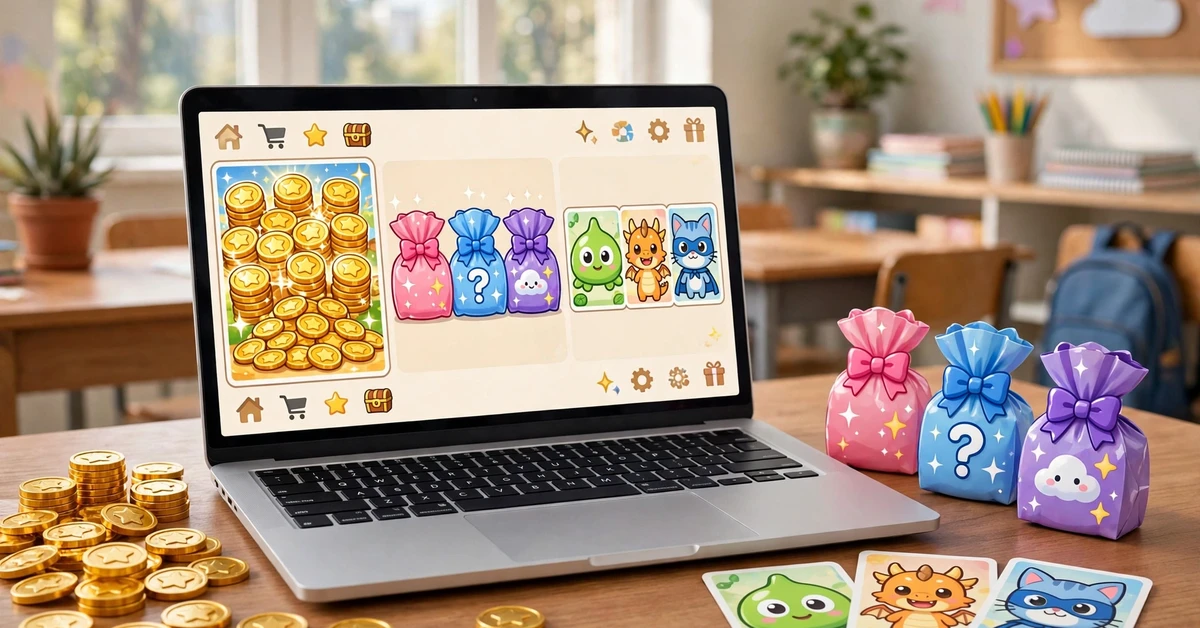
Blook Packs sit at the top of the Blooket Market. Each pack is a themed box with its own set of Blooks. When you buy a pack, the game reveals one random Blook from that pack. You might get a common favourite or a rare treasure.
Most standard packs in the Blooket Market cost 20 or 25 tokens each. Seasonal packs, which appear for a limited time during special events, usually cost 25 tokens. Blooket has changed pack prices before, so always check the price shown on the pack tile before you tap Buy. The price on the tile is the price you pay.
Blooket Rarity Tiers, From Common to Rarest
Every Blook has a rarity tier. The rarer the tier, the harder the Blook is to find. The standard tiers, from most common to rarest, are:
- Uncommon: the easiest Blooks to find. Most packs hold several Uncommon Blooks.
- Rare: less common than Uncommon, and a nice step up for a new collection.
- Epic: harder to find, with bright designs that stand out in games.
- Legendary: very hard to find, and the pride of many collections.
- Chroma: the rarest standard tier. Chroma Blooks are colour variants that players chase for months.
Before you buy, tap a pack and click Show Drop Rates. This opens the full list of Blooks inside that pack, with the rarity of each one. Blooket’s official How to Collect Blooks guide explains the same steps with pictures. If the Blook you want is not on the list, that pack cannot give it to you right now. Always check the drop rates first, because packs and rewards can change when Blooket updates the game.
You can also buy and open more than one pack at a time. Type how many packs you want, or use the plus and minus buttons. The total cost updates as you change the number, so you see the price before you tap Buy. After you buy, click anywhere to reveal each Blook one at a time. Longer animations usually mean you unlocked a rarer Blook. When every pack is open, click Collect to add your new Blooks to your collection.
The Weekly Shop: Banners, Titles and Blook Parts
Scroll down the Blooket Market and you reach the Weekly Shop. This Blooket shop is the second half of the Market, and it works differently from packs. Instead of random Blooks, it sells fixed items at fixed prices. You see exactly what you get before you buy.
The Weekly Shop sells three kinds of items. Banners are decorations that appear on your profile. Titles are short labels that show next to your name. Blook parts let you build a custom Blook of your own. Stock rotates each week, so an item you skip today may not be there next week.
During special events, a seasonal shop appears with limited-time items and seasonal Blooks. These items only stay for the event, so check the Market during holidays and game events. After you buy a banner or title, visit the Locker page on your dashboard to equip it and show it off in games.
How to Get Rare Blooks From the Blooket Market
Nobody can promise you a Chroma, because every pack opening is random. But smart players give themselves the best chance. These tips will help you get more from every token you spend in the Blooket Market.
- Check Show Drop Rates before you buy. Pick the pack that holds the Blook you want.
- Save your tokens for one pack instead of opening a little of everything.
- Buy packs in batches when you can. Opening several packs at once is faster and feels more rewarding.
- Check the Weekly Shop every week. Limited items never come back once they leave.
- Play a little every day. Steady tokens add up faster than one long session.
- Do not chase one Blook forever. Set a token limit for yourself and enjoy the Blooks you already own.

Blooket Market Not Working? Quick Fixes
Most Blooket Market problems have a simple cause. Work through these fixes in order.
- Check your token balance. If you have fewer tokens than the price on the tile, the Buy button will not work. Play a game to earn more tokens first.
- Refresh the page. A quick refresh fixes most loading problems, and clearing your cache and cookies helps if the Market still looks blank.
- Try another browser. Blooket works best in an up-to-date Chrome browser. Turn off ad blockers too, as they can block parts of the site.
- Sign in with the right account. If you signed up with Google, sign in with Google. An email login will not open a Google account.
- Check the item you bought. New Blooks appear on your Blooks page, and banners and titles are equipped from the Locker page.
- Ask your school IT team. If Blooket is blocked at school, only the school can allow it. Test the same device on mobile data to confirm the block.
Tips to Get More From the Blooket Market
A few small habits make the Market much more fun.
- Bookmark the Market page once you are signed in, so you can check the Weekly Shop in seconds.
- Open the Market after each game session, when your balance is highest.
- Keep a note of the packs you still need, so you spend tokens with a plan.
- For more step-by-step help, browse our How To guides.
Frequently Asked Questions
Can I buy Blooks with real money in the Blooket Market?
No. Everything in the Market is bought with tokens you earn by playing games. Blooket does not sell tokens for cash.
How many tokens does a Blook pack cost?
Most standard packs cost 20 or 25 tokens. Seasonal packs usually cost 25 tokens. Prices can change, so check the price on the pack tile first.
What is the rarest Blook I can get from the Market?
Chroma is the rarest standard rarity tier, and Chroma Blooks are very hard to find. Seasonal events can also bring limited Blooks that are only available for a short time. Always check Show Drop Rates on the pack before you buy.
Why can I not find the Blooket Market on my dashboard?
Look for Market in the left-hand navigation. Students see it in the main navigation, and teachers can use the Market icon near the bottom of the page. If it is still missing, make sure you are signed in to the right account.
Can I trade Blooks with my friends?
No. The Blooket Market is not a trading site, and there is no way to send Blooks to another account. Every Blook in your collection comes from packs you opened or items you bought yourself.
The Blooket Market turns your hard-earned tokens into a collection you can be proud of: Blooks, banners, titles and Blook parts. Learn the pack prices, check the drop rates, visit the Weekly Shop each week, and spend your tokens with a plan. Happy collecting, and good luck with your next pack.